Drop Rename DB Objects
Goal: Development - Usability
Developer: Carlos Ruiz
Description:
Five new processes have been added to allow some operations directly in the database without the need to open a DB manager (like DBeaver or pgadmin).
New Process in Table tab
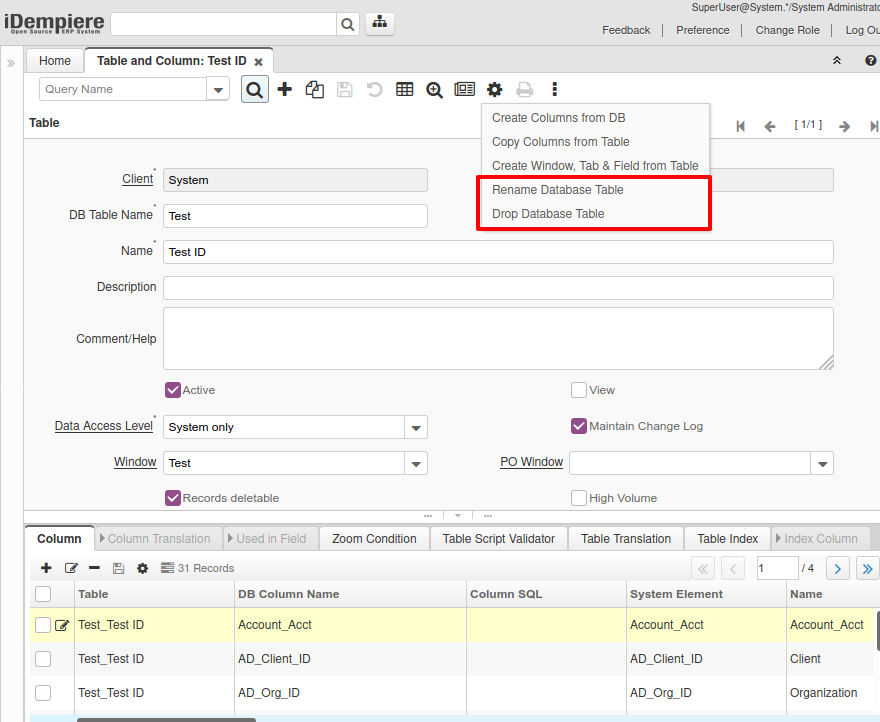
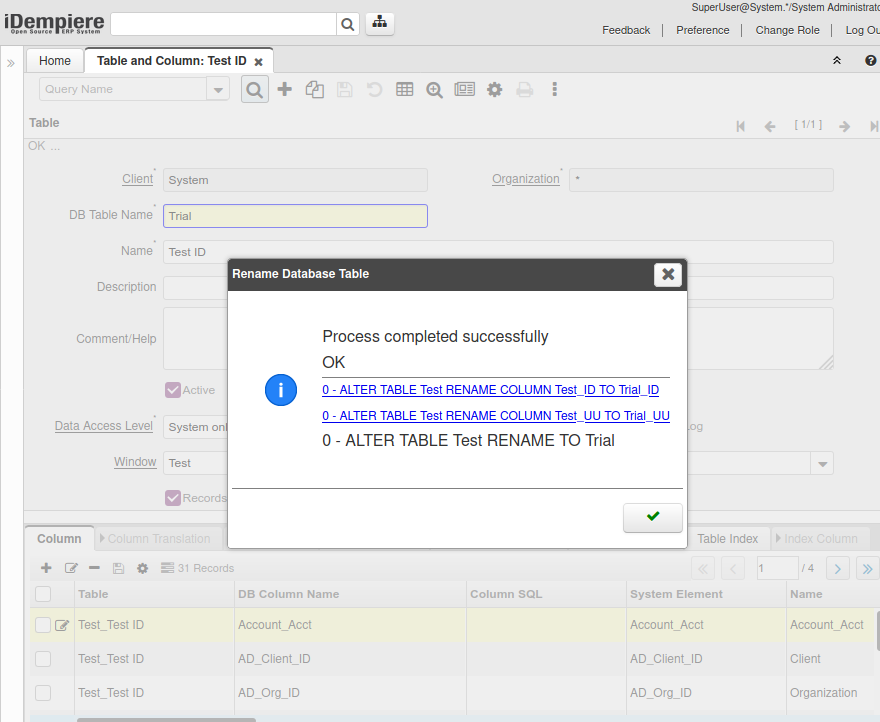
Rename Table
This process allows to rename a table in the database, it also changes the table name in the dictionary record, and changes the _ID and _UU columns correspondingly.

At the end it shows the SQL statements executed to rename the table and the associated columns.
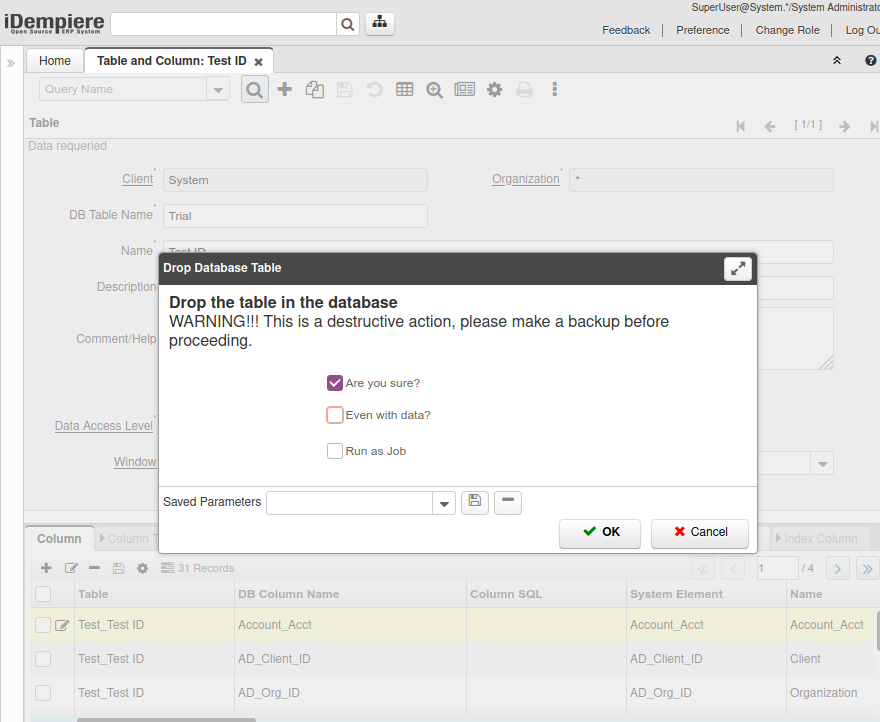
Drop Table
This process allows to drop a table in the database.
As the process is destructive, it requires a confirmation parameter, and also another confirmation is required if the table has already data.
New Processes in Column tab
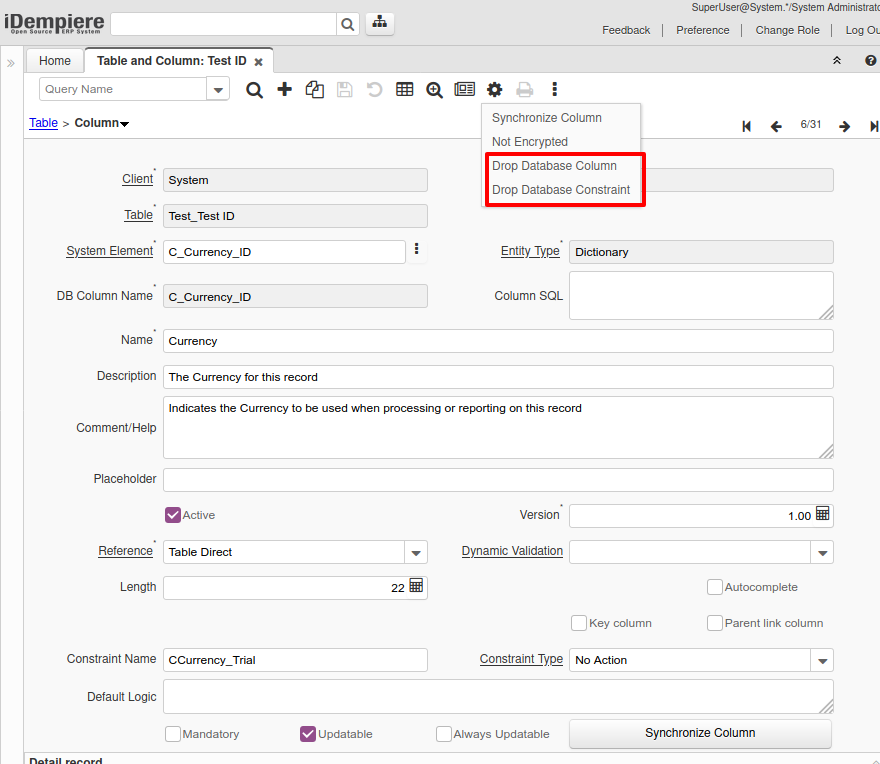
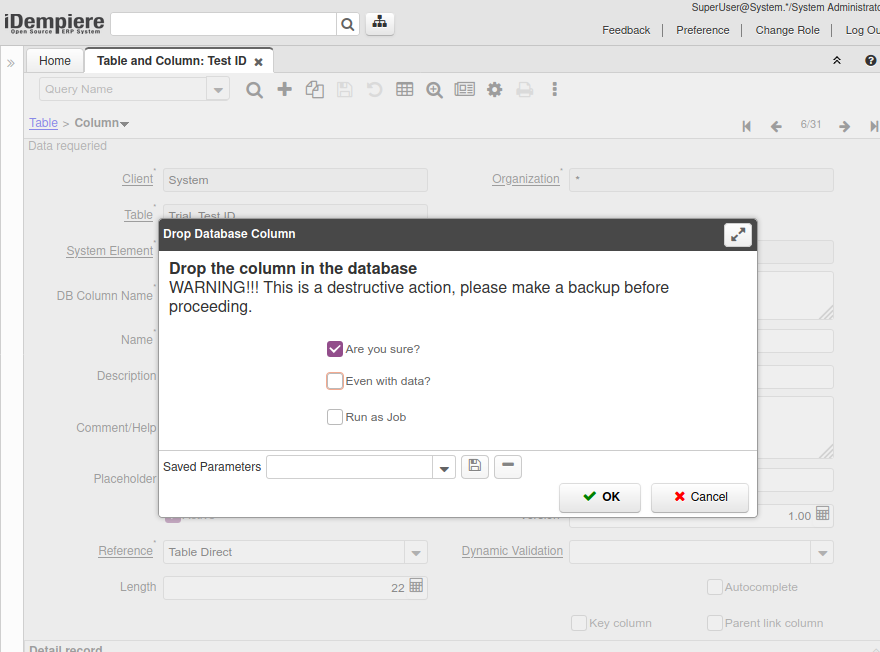
Drop Column
This process allows to drop a column in the database.
As the process is destructive, it requires a confirmation parameter, and also another confirmation is required if the column has already data (not null).
Drop Constraint
This process allows to drop a constraint in the database.

New Process in Element tab
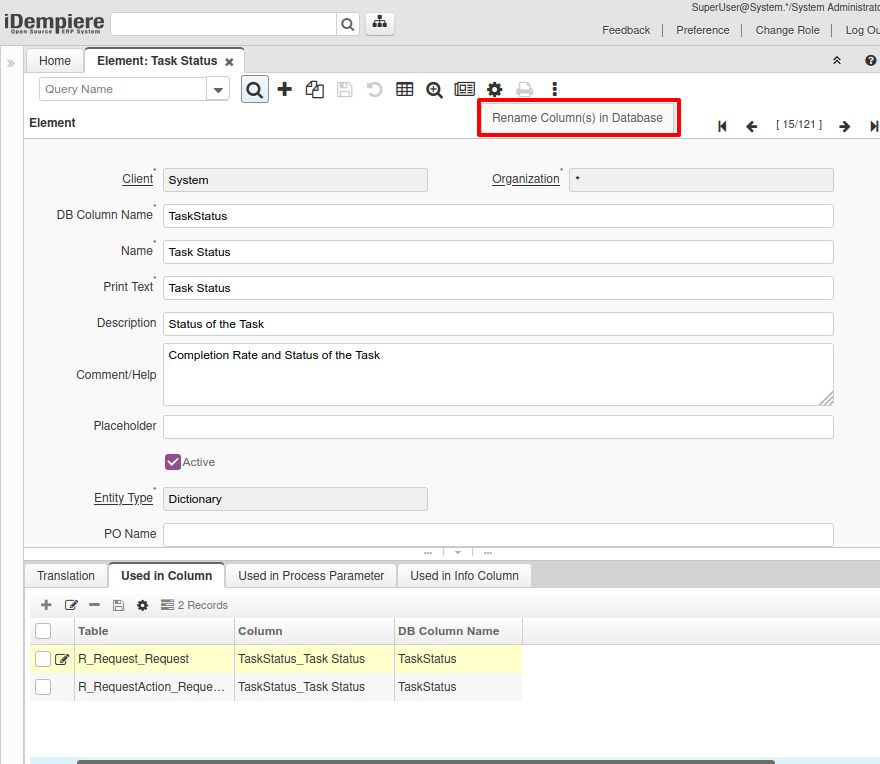
Rename Column(s)
This process allows to rename a column in the database, it changes all the columns associated in all tables using the element.
NOTE the process to rename columns in views is not implemented, so that operation is forbidden.
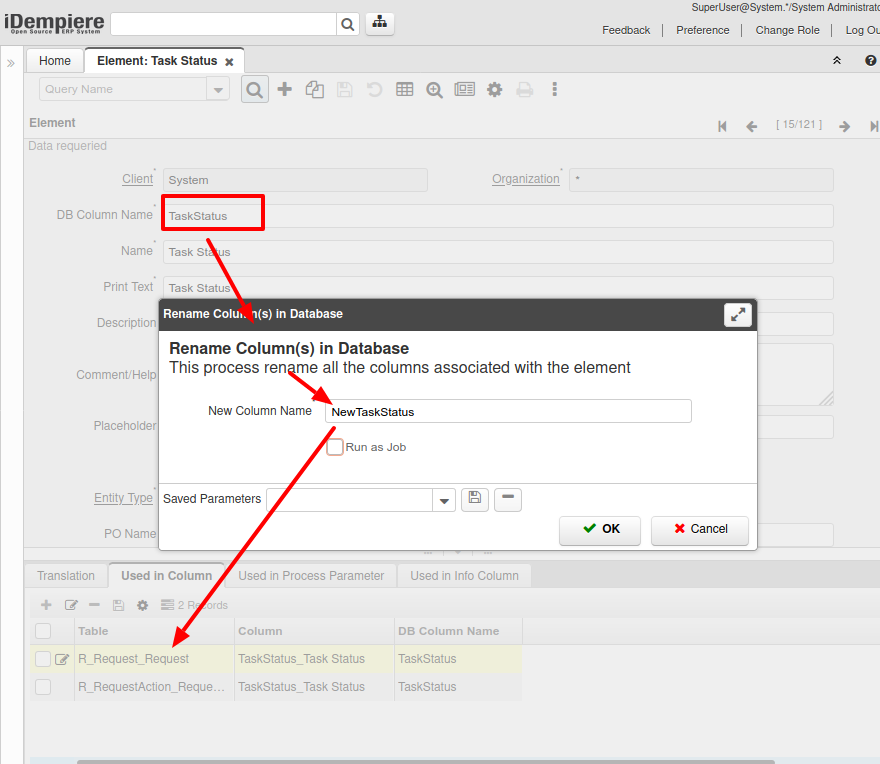
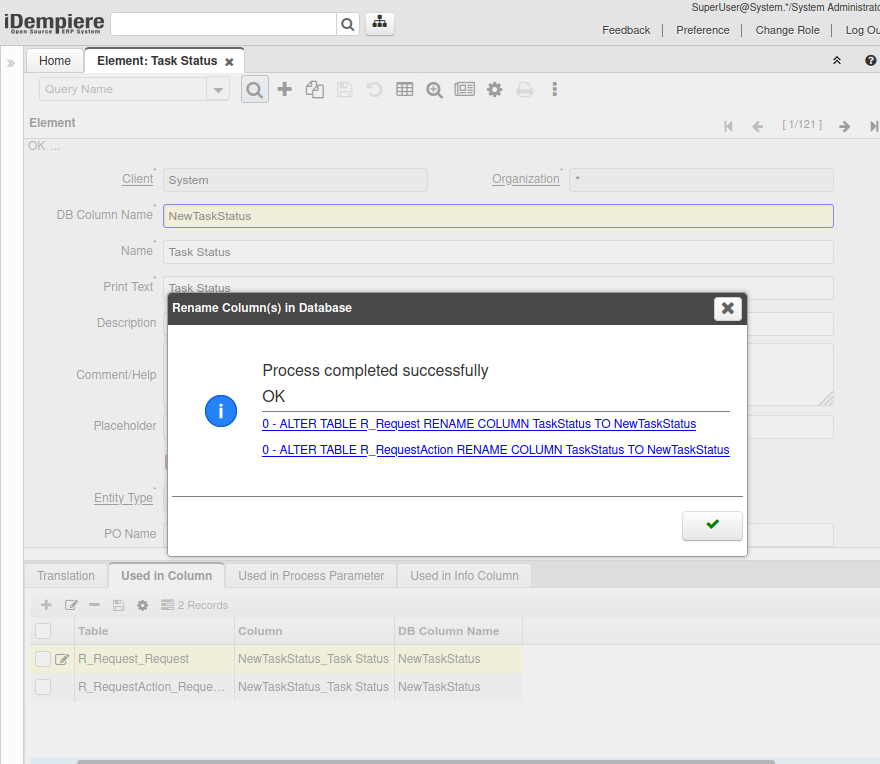
At the end it shows the SQL statements executed to rename all the columns found in the different tables.
Technical Info: IDEMPIERE-4358
Source: Wiki