Accounting Viewer Improvements
Feature Overview
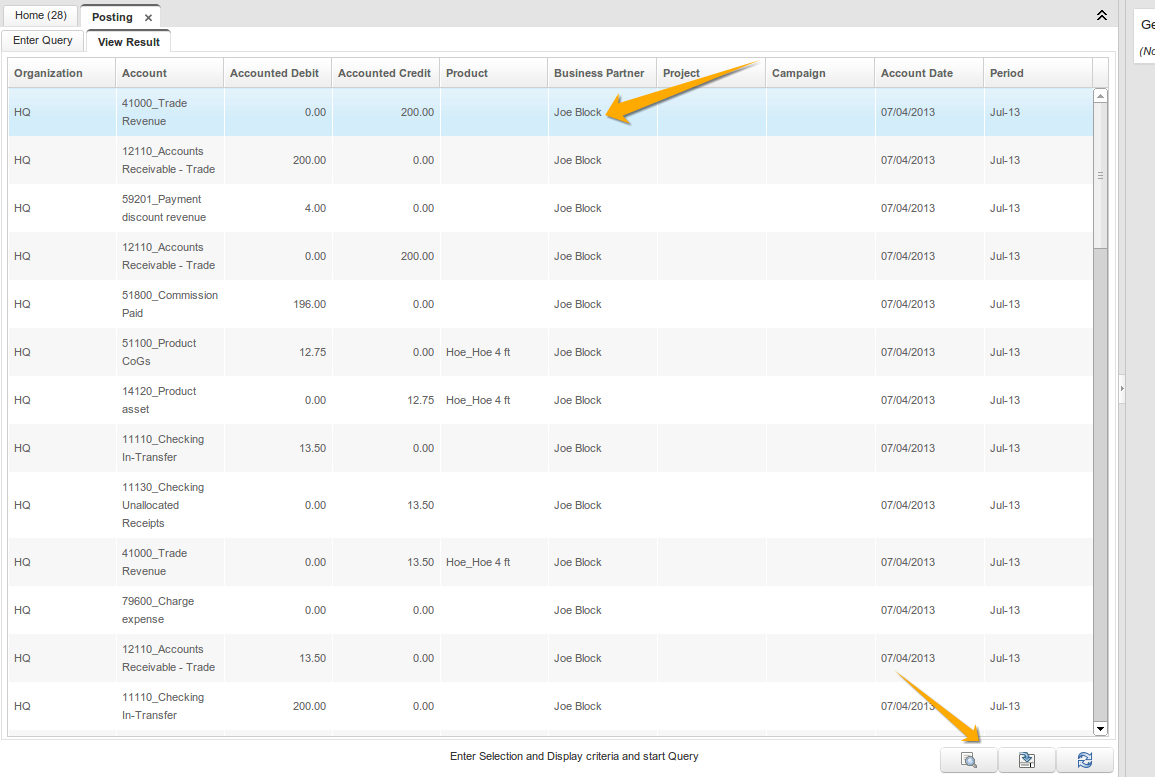
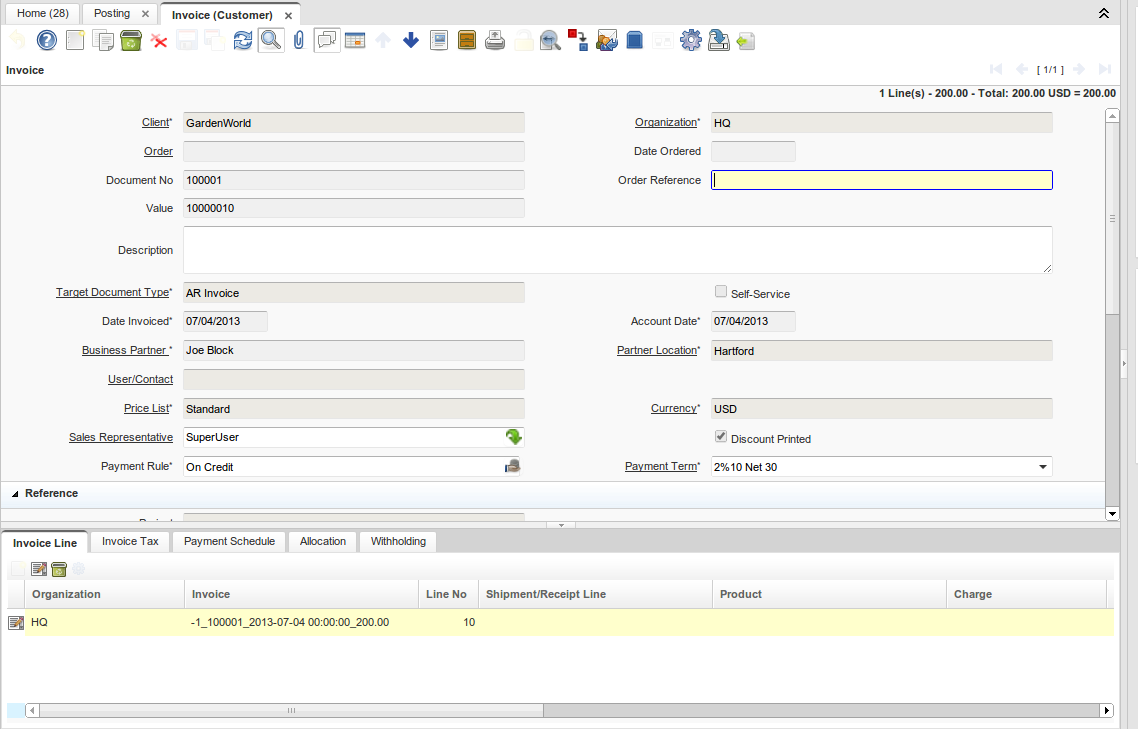
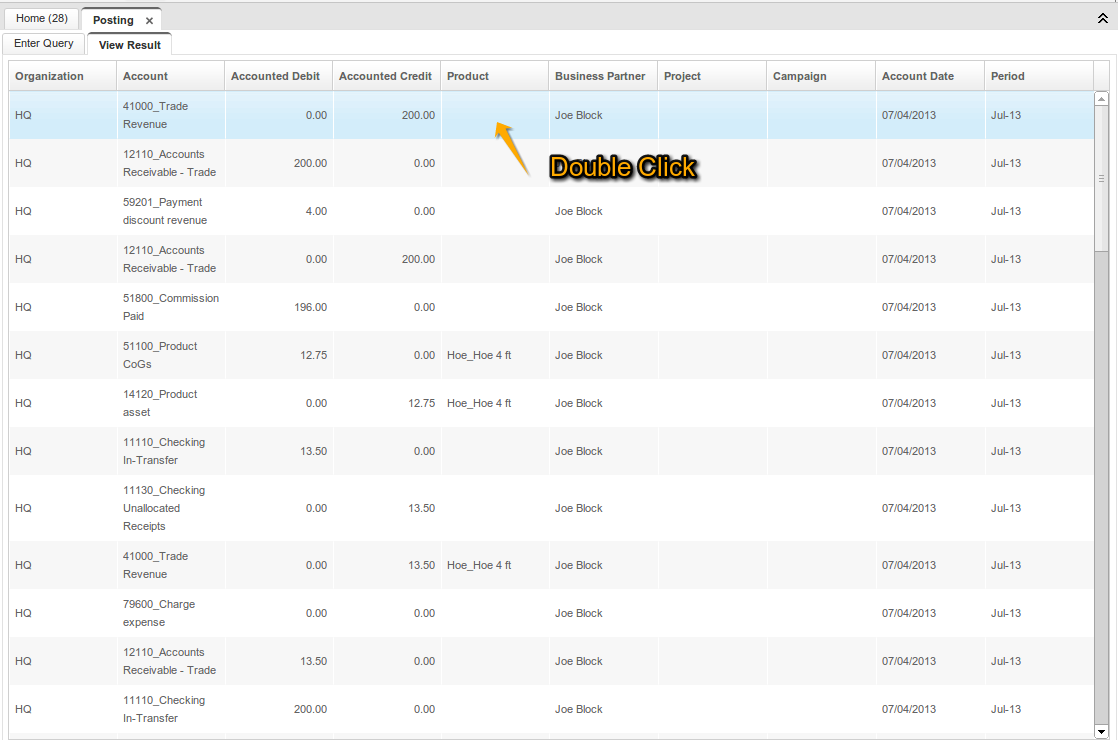
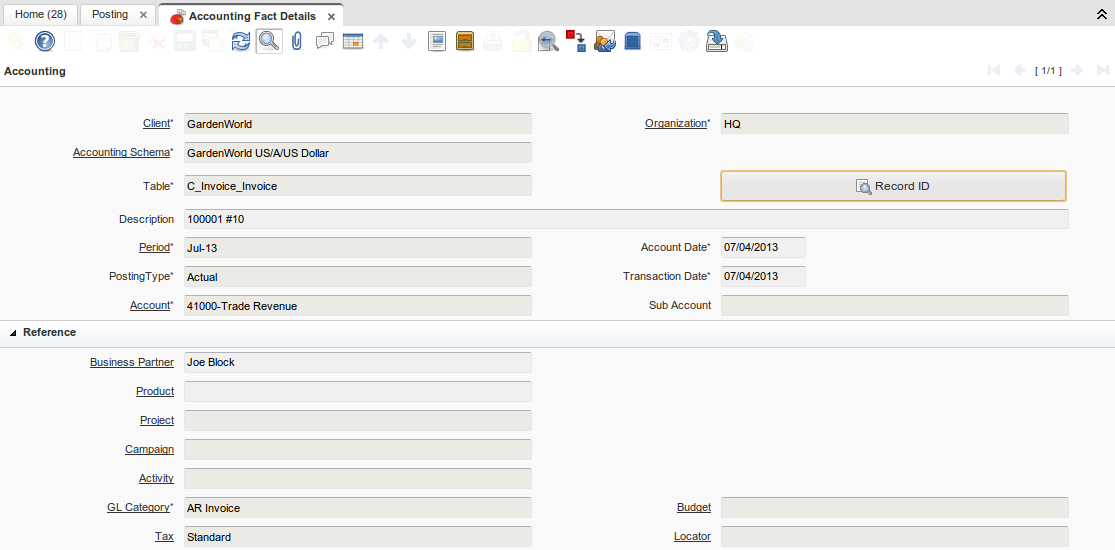
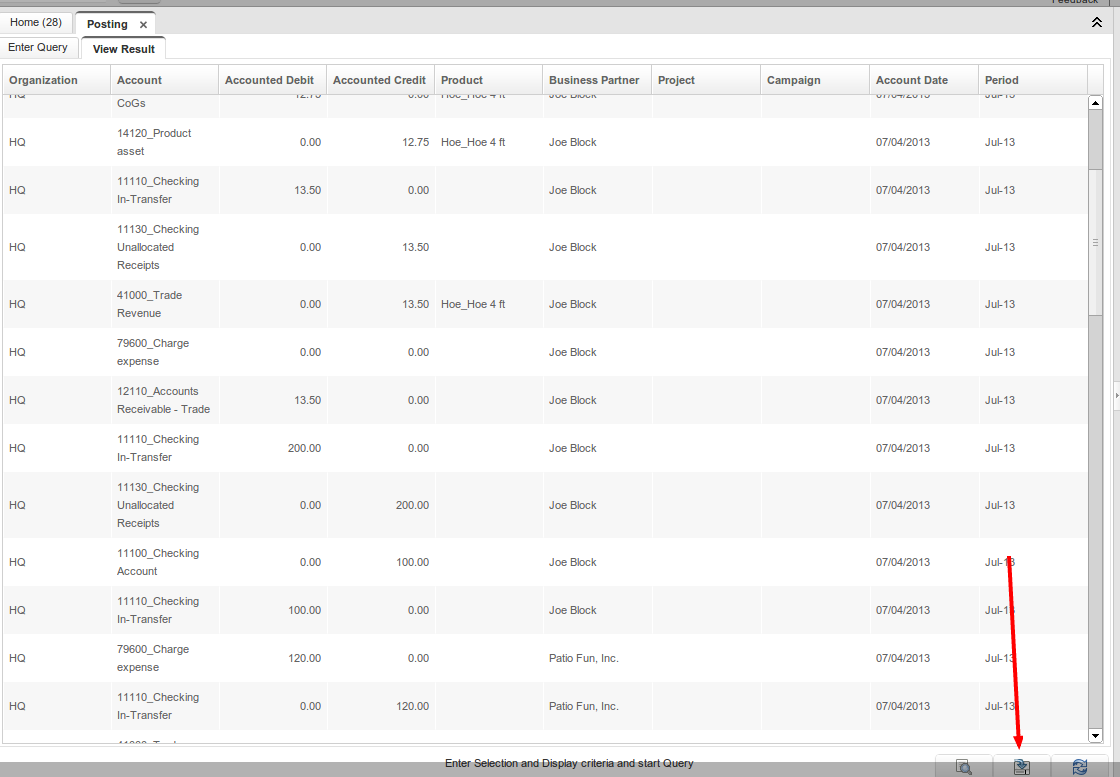
Review accounting entries without interrupting your workflow—the Accounting Viewer now opens as a standalone window instead of a blocking popup. You can navigate instantly to source documents with the Zoom button, or double-click any row to drill down into accounting fact details for deeper investigation. Need to analyze your data externally? Export everything to Excel with one click.
Key Benefits:
- Keep accounting data visible while working in other windows
- One-click navigation to invoices, payments, and source documents
- Double-click to access detailed accounting facts
- Export to Excel (xlsx) for custom reporting and reconciliation
Goal: Functional
Sponsor: Trek Global
Description:
- Accounting Viewer is now a window instead of a popup - which allows you to keep working on other windows.

- Zoom button that navigate to the source document
- Zoom with double click on row that navigates to the accounting fact window
- Ability to export to spreadsheet
Technical Info: IDEMPIERE-119 IDEMPIERE-660 IDEMPIERE-131
Source: Wiki