Placeholders
Goal: Usability
Developer: Nicolas Micoud
Description:
<cite>Placeholder specifies a short hint that describes the expected value of an input field (e.g. a sample value or a short description of the expected format).</cite>
<cite>The short hint is displayed in the input field before the user enters a value.</cite>
Placeholders for Fields:
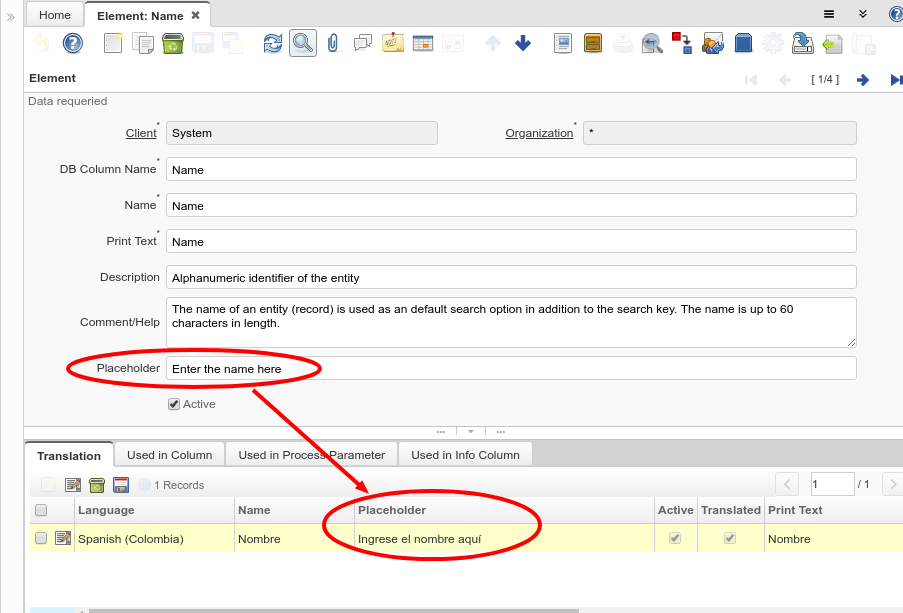
The fields in iDempiere UI can have a placeholder to guide the user about what is expected to be in a field.
The placeholders - all translatable - can be defined at the following levels:
- Element
- Column
- Field
- Field Customization
- Info Window Column
- Process Parameter
- In process parameters there is also a placeholder for the To field when the parameter is defined as a Range
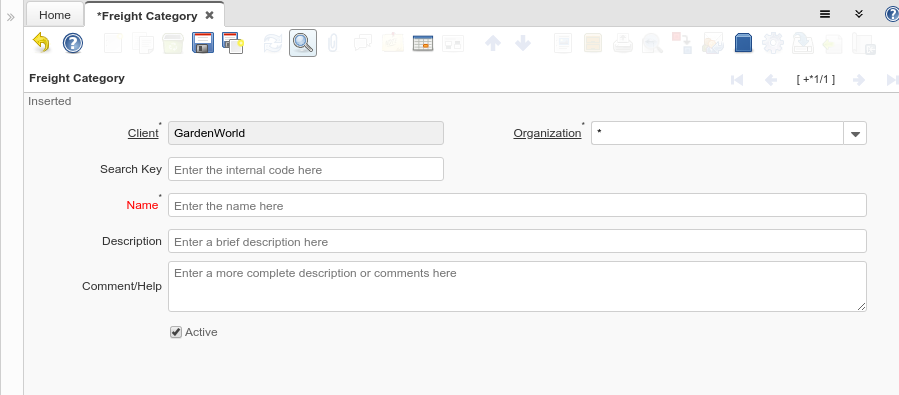
For example when entering a new record this is what the user can see:
Placeholders for Location Dialog:
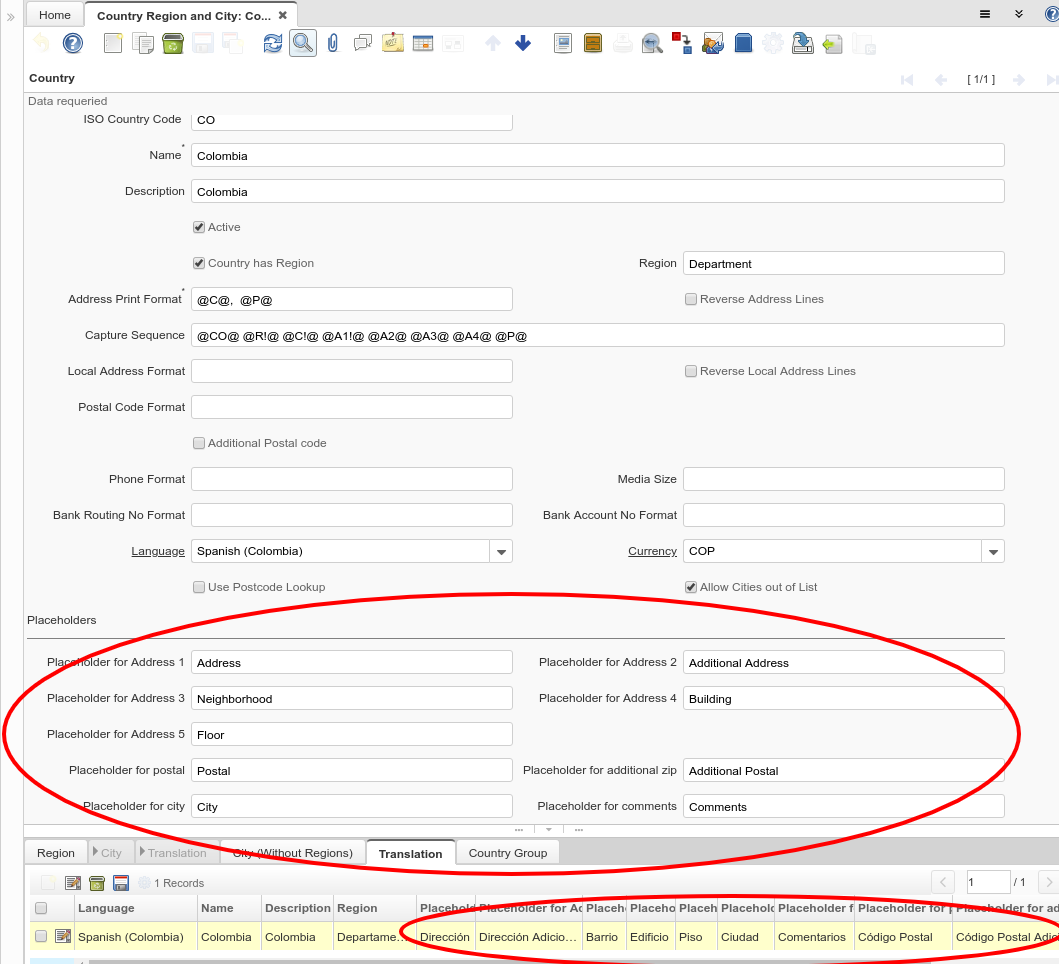
For the Location Dialog, translatable placeholders can be defined also at Country level.
There are placeholders for the following elements:
- Address 1
- Address 2
- Address 3
- Address 4
- Address 5
- City
- Comments
- Postal
- Postal Add
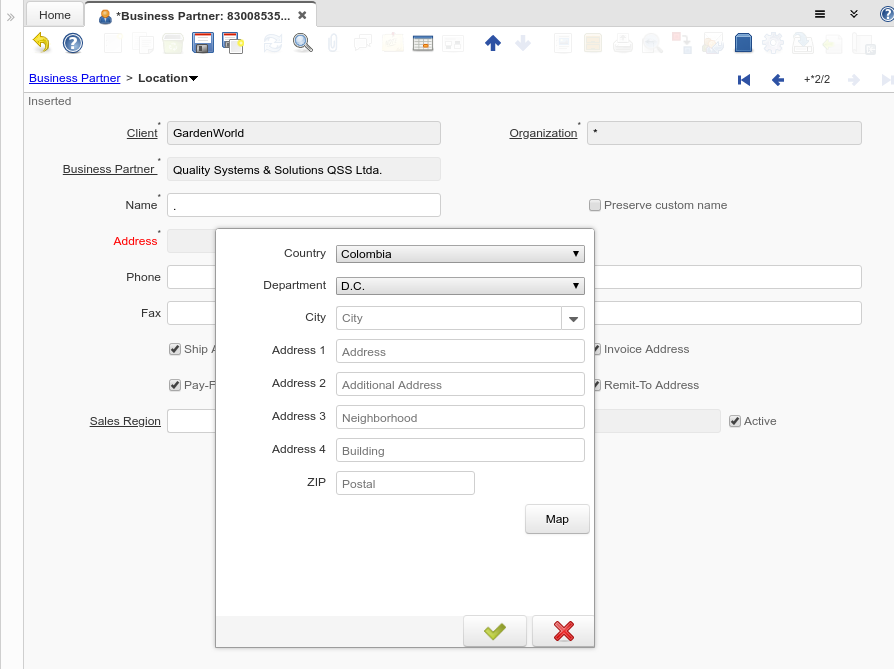
For example when entering a location this is what the user can see:
Technical Info: IDEMPIERE-3639, IDEMPIERE-3643
Source: Wiki