Manage Plugins on WebUI
Goal: Technical
Developer: Carlos Ruiz
Description:
Now basic plugin information can be seen directly on the webui (as System Administrator), <s>clicking on the About button and navigating to the Plugins dialog</s> (since version 8.2) on the menu using the form Plugin Manager you can see:
- Plugin ID
- Status
- Plugin Name
- Plugin Version
You can also start/stop plugins directly using the button.
For example, to start the org.adempiere.report.jasper plugin you can follow these steps:
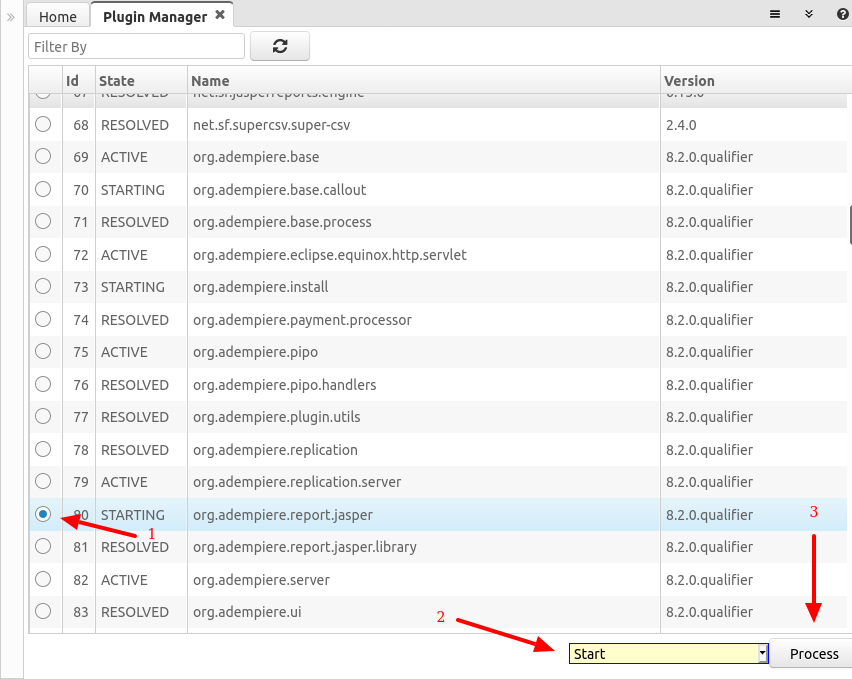
Technical Info: IDEMPIERE-3545, IDEMPIERE-4601, IDEMPIERE-4647
Source: Wiki