Improvement: Detail Panel ToolBar
Improvement: Detail Panel ToolBar
Goal: Usability
Sponsor: Integratio
Developer: Diego Ruiz - BXService GmbH, Krefeld
Description:
- The detail panel's toolbar can now be configured as the window toolbar buttons.
- Custom toolbar button on detail is now possible.
- Save button on detail created - when you click the save button in the detail only the detail is saved, any changes made in the master record will not be saved until you save the master record.
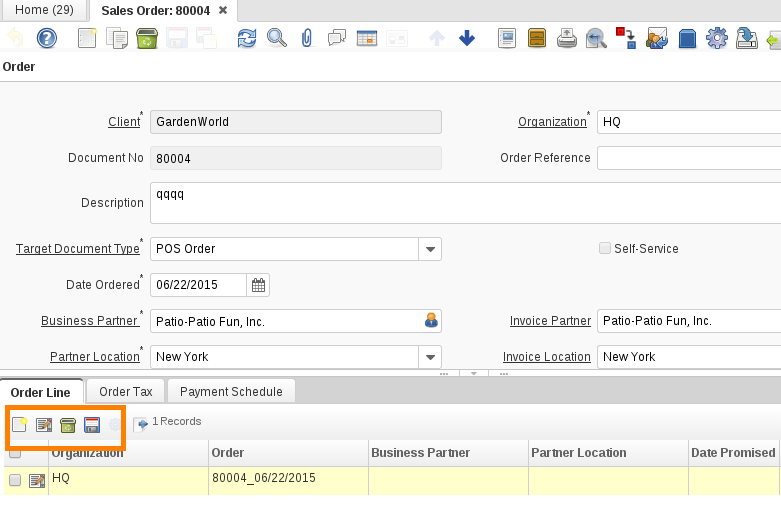
How to configure the toolbar buttons:
The process is the same as with the window toolbar buttons, open "Toolbar Button" window and create a record with the button you want. Select "Detail" as the action.
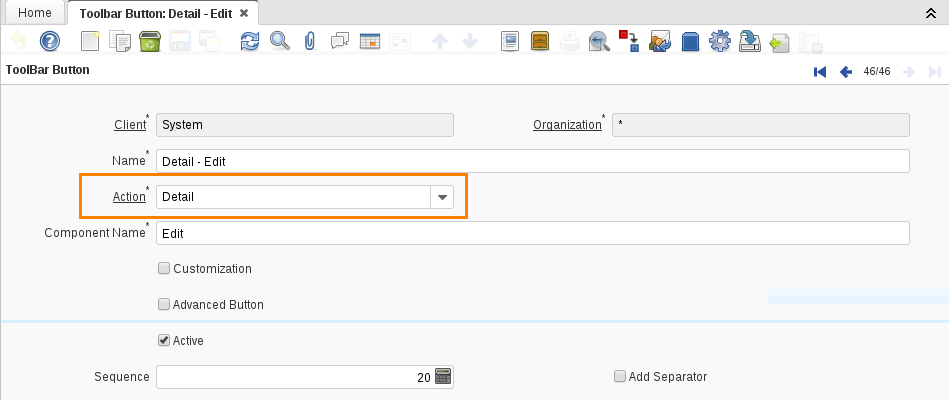
The sequence number sets the order in which the buttons are shown.
To add a custom button you have to check the customization field and fill the other fills as in the window toolbar (see [NF1.0_CustomWindowToolbarButton here]).
You can also restrict some buttons for a role in a window/tab. To do it open the "Role Toolbar Button Access" and fill the fields with the corresponding data.
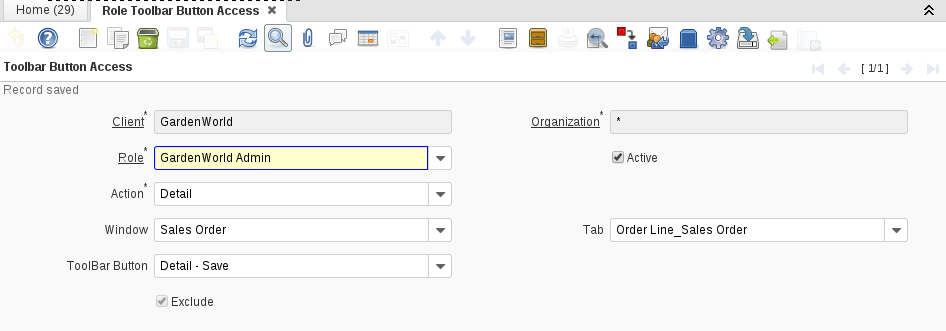
As a result for the configuration shown above, you will not longer see the save button in the Sales Order window - order line tab.
Technical Info: IDEMPIERE-2895
Source: Wiki