Status Line As Dashboard Widget
Goal: UX/Functional
Developer: cloudempiere, Takacs Peter, Design: Norbert Bede Review: Hengsin Low
Feature Ticket: IDEMPIERE-5393
Background/Motivation
Quick Info was implemented to define data source with SQL Statement and define HTML through System Message. Read More.
Improvement
This feature allows to define Dashboard Content with the previously defined status lines.
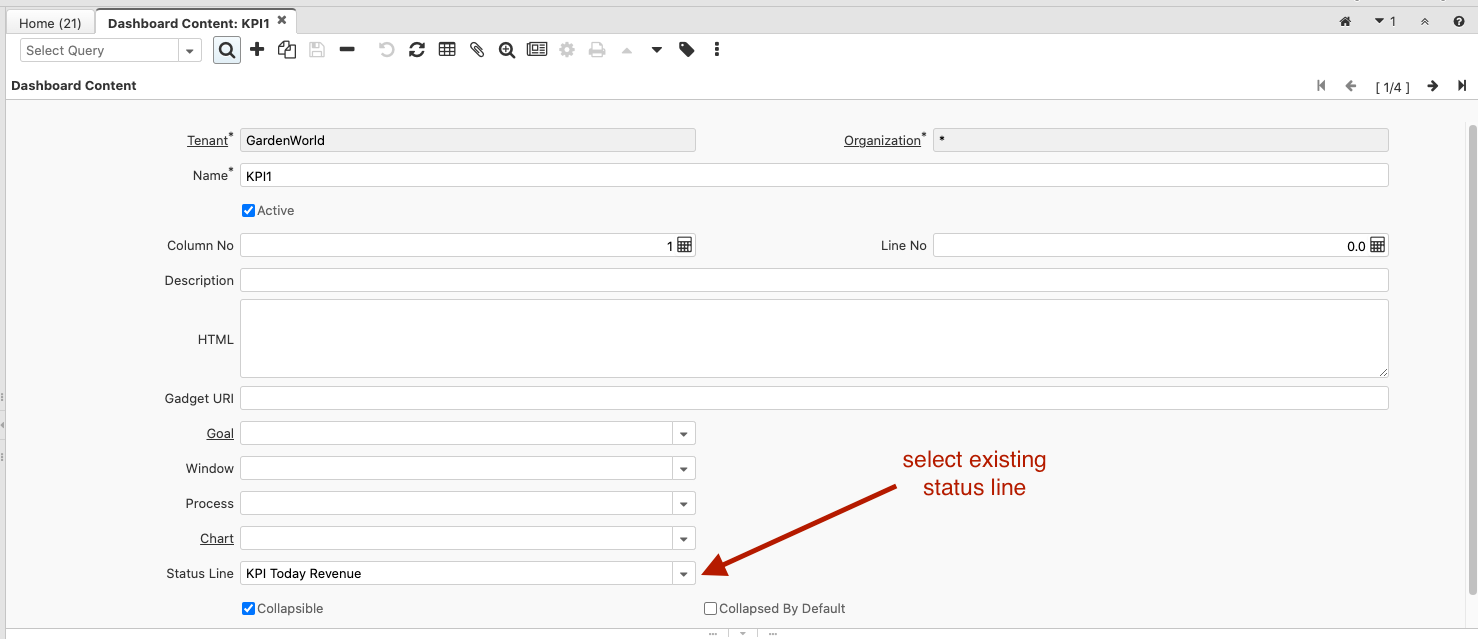
Select existing status line
Usage: Display and visualise iDempiere data with customisable HTML to the Dashboard as a Widget.
Example Use-case: The next example illustrates Today Revenue in KPI style. (todo: replace image fake data)
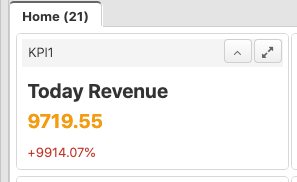
KPI widget by status line
Changes
Status Line field was added on Dashboard Content
Tips and Tricks for KPI like status line
this section explain how to setup a typical KPI style indicator
The result
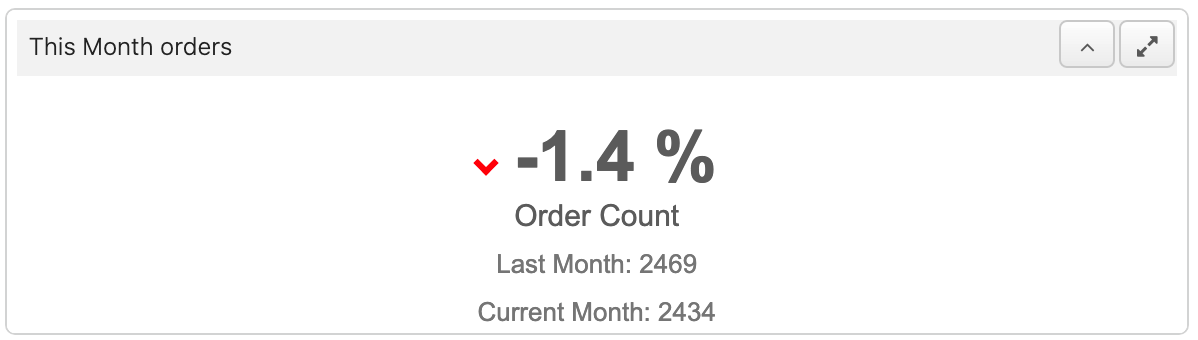
Create new system message: <syntaxhighlight lang="html" line="1">
{2,number,#.#} %
Order Count
           Last Month: {1}

           Current Month: {0}
</syntaxhighlight>note: the choice clause add classes which change color of arrow-up/down
register new dsp file in theme.css.dsp: ```css
<c:include page="fragment/gadget-kpi.css.dsp" />
create new dsp file gadget-kpi.css.dsp```css

.kpi-arrow {
	border: solid;
	border-width: 0 3px 3px 0;
	display: inline-block;
	padding: 3px;
	text-align: center;
	vertical-align: middle;
}

.kpi-arrow-up {
	transform: rotate(-135deg);
	-webkit-transform: rotate(-135deg);
}

.kpi-arrow-down {
	transform: rotate(45deg);
	-webkit-transform: rotate(45deg);
}

.kpi-arrow-right {
	transform: rotate(-45deg);
	-webkit-transform: rotate(-45deg);
}

.kpi-data-negative {
	color: red;
}

.kpi-data-positive {
	color: green;
}

.kpi-title {
	font-family: Arial, Helvetica, sans-serif;
	font-size: 35px;
	font-weight: bold;
	text-align: center;
	padding: 5px;
	padding-bottom: 10px;
}

.kpi-text {
	font-family: Arial, Helvetica, sans-serif;
	font-size: 15px;
	text-align: center;
	padding: 5px;
}

.kpi-sub-text {
	font-family: Arial, Helvetica, sans-serif;
	font-size: 13px;
	text-align: center;
	padding: 5px;
	color: grey;
}

.kpi-inline {
	display: inline;

```**create status line with the next SQL**<syntaxhighlight lang="sql" line="1">
select
ROUND (SUM(orders) FILTER (WHERE kpidata.month = date_trunc('month', now())),0)::numeric as orders_MTD , ROUND (SUM(orders) FILTER (WHERE kpidata.month = date_trunc('month', now() - INTERVAL '1 month')),0)::numeric orders_MTD_P, round((SUM(orders) FILTER (WHERE kpidata.month = date_trunc('month', now())) / SUM(orders) FILTER (WHERE kpidata.month = date_trunc('month', now() - INTERVAL '1 month')) - 1) * 100, 2)::numeric as diff FROM
(
SELECT
DATE_TRUNC('month',dateordered) AS month, COUNT(c_order_id) AS orders
FROM c_order
where ad_client_id=@#AD_Client_ID@ and issotrx='Y'
GROUP BY month
) kpidata
</syntaxhighlight>

---

_Source: [Wiki](https://wiki.idempiere.org/en/NF10_Status_Line_As_Dashboard_Widget)_