Display Logic for Print Format Item in PDF
Goal: Functional
Developer: Heng Sin Low
Description:
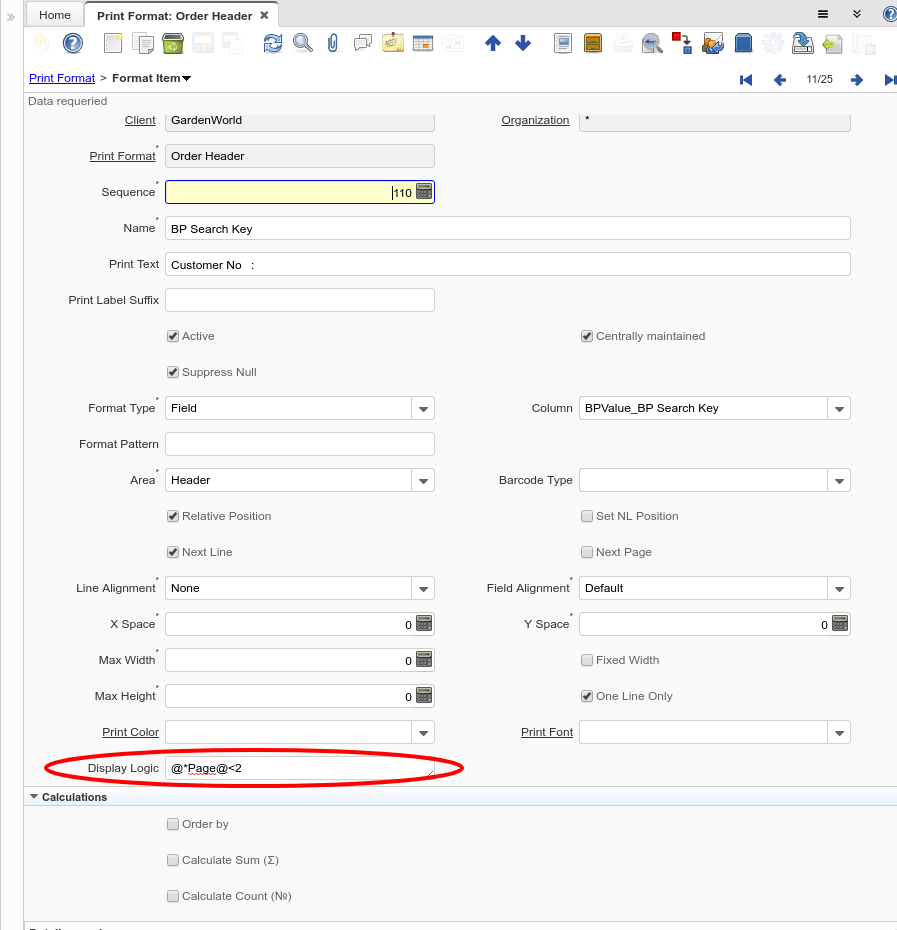
Now is possible to set a Display Logic for a Print Format Item rendered as PDF format.
The display logic follows the normal convention for the display logic field:
{expression} [{logic} {expression}]
expression := @{context}@{operand}{value} or @{context}@{operand}{value}
logic := {|}|{&} - these are OR and AND, resolved from left to right (no precedence)
context := any print format item column name from the report surrounded by @ - like @C_BPartner_ID@ or @Name@ := the special values @*Page@ and @*PageCount@ are supported also := foreign columns can be referenced too with the notation column.foreign_column, for example @C_BP_Group_ID.Name@
value := strings or numbers
operand := eq{=}, gt{>}, le{<}, not{~^!}
Technical Info: IDEMPIERE-3996
Source: Wiki