Enable Showing Inactive Records through Reference
Enable Showing Inactive Records through Reference
Ticket: IDEMPIERE-5573
Developer: Peter Takacs, Cloudempiere
Review: Heng Sin Low, Carlos Ruiz, Nicolas Micoud, Norbert Bede
Description
There are some use cases, when showing inactive records in a list field of parameter can be useful, e.g. displaying Products inactivated by the customer.
Changes
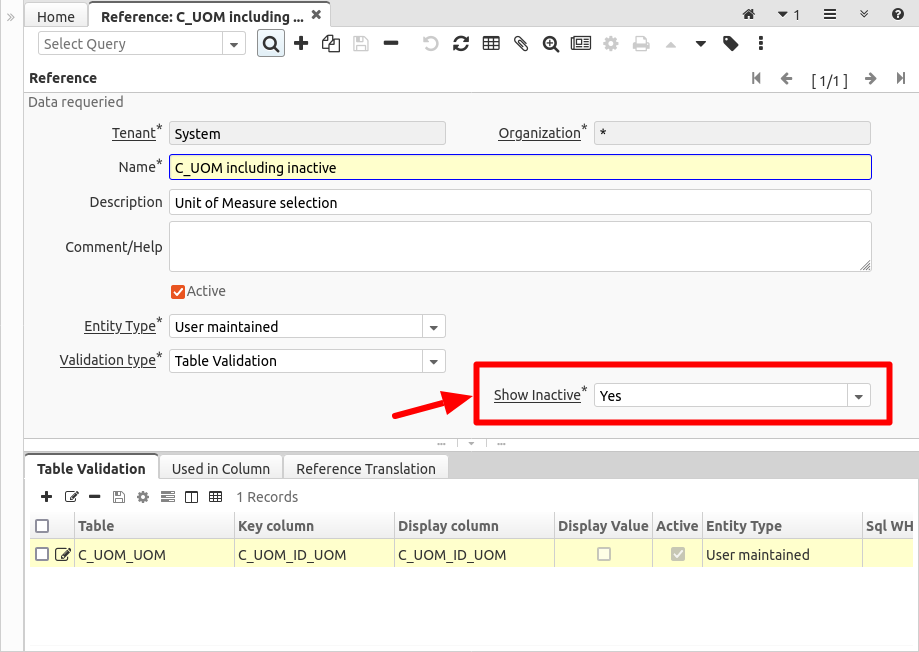
A new Show Inactive field was added to the Reference window, this is valid for references with validation type = Table Validation.
How to use
If the Show Inactive field is set to Yes, then the Reference will allow to show active and inactive records too. When set to No, only the active records are shown. This is applied to the Columns, Process Parameters and other fields, where the Reference is used.
For example:
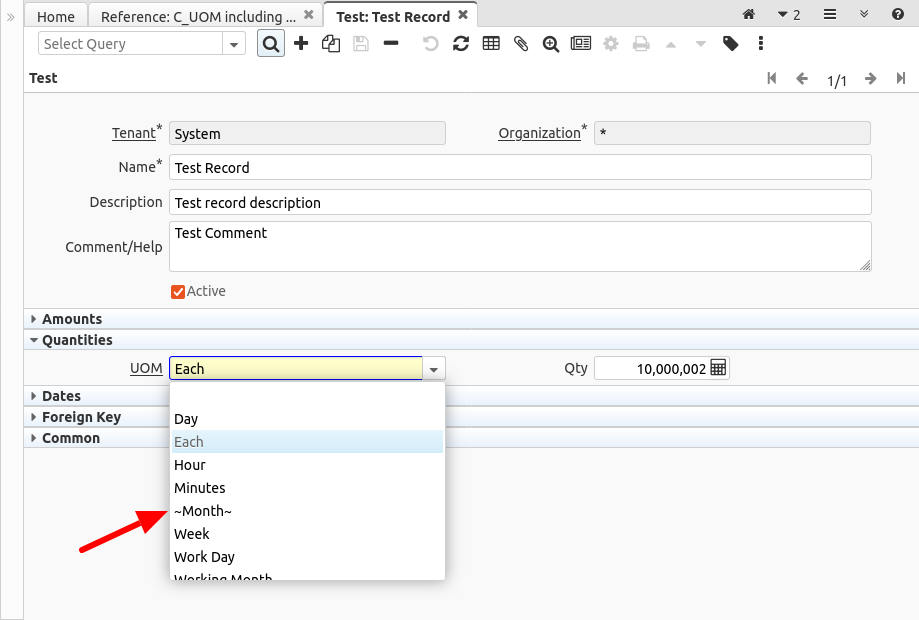
Note that the list shows the inactive records surrounded by tilde characters (~), like:
Source: Wiki